### BE: GCP & Docker <!--v--> #### Team, assemble  Get by groups of 2-5, cooperate, help each other out <!--v--> #### 3 parts "BE" to apply everything you have learned - Train your model in a google compute engine instance and analyse results - Practice the docker build-ship-run cycle with team mates - Deploy a website to a cloud instance <!--v--> #### 1. Google Cloud Platform Workflow 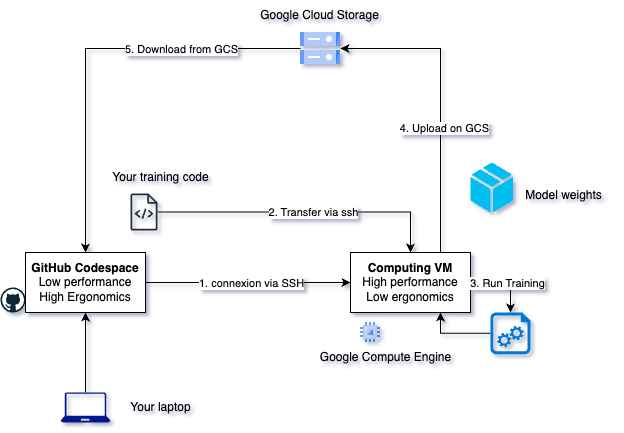 <!--v--> #### 2. Build Ship Run 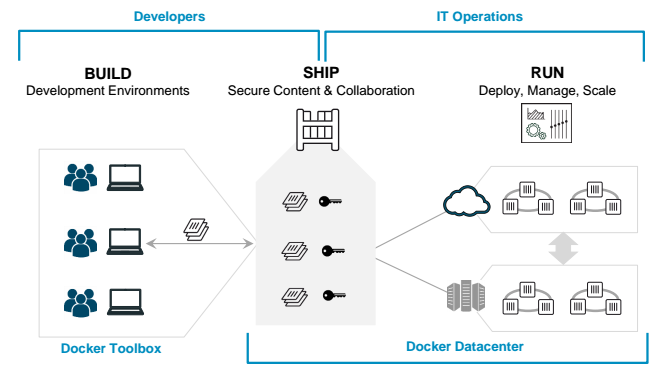 <!-- .element: height="40%" width="40%" --> <!--v--> #### 3. Deploy a website * Rediscover Streamlit * Deploy a container straight to a new virtual machine <!--v-->  [BE walkthrough](../1_4_be.html)