# From Virtualisation to Containerisation  <!--v--> ### Outline * **Presentation** (45m) * **Self-paced Workshop** (2h15) * BE Cloud & Docker (23/11) * To be continued with Orchestration & Deployment (08/01) <!--v--> #### This class will be successful if you understand * why we need a tool like docker * the basics of docker (containers, images) <!-- .element: class="fragment" data-fragment-index="1" --> * the basics of a container registry <!-- .element: class="fragment" data-fragment-index="2" --> * how to pull an image and run a container <!-- .element: class="fragment" data-fragment-index="3" --> * what a Dockerfile looks like <!-- .element: class="fragment" data-fragment-index="4" --> <!--s--> ### The need for Containers in software  <!--v--> #### IT Multimodality 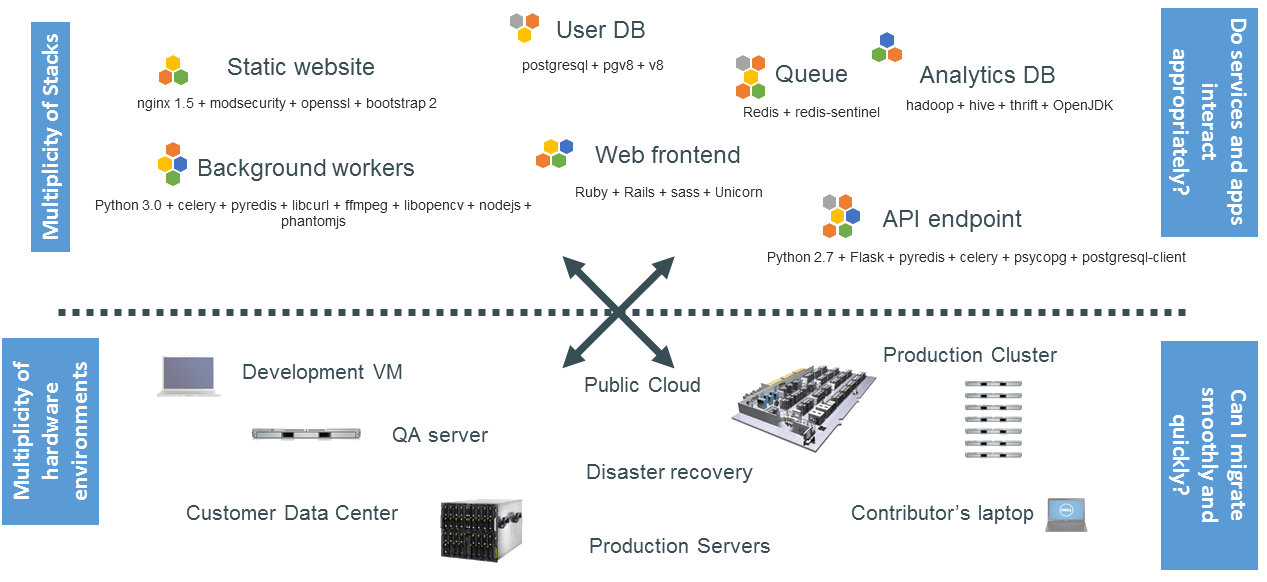 <!--v--> #### The Matrix From Hell 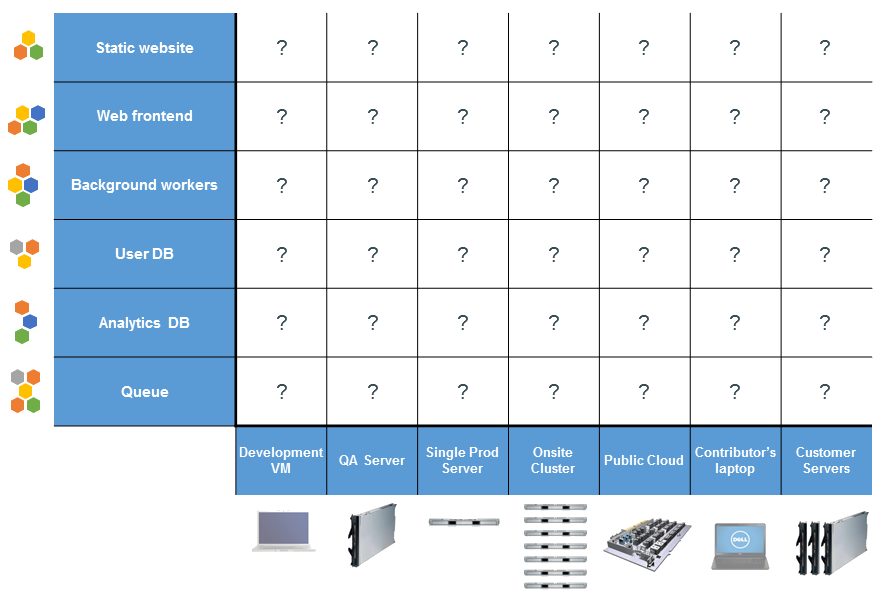 <!--v--> #### Analogy 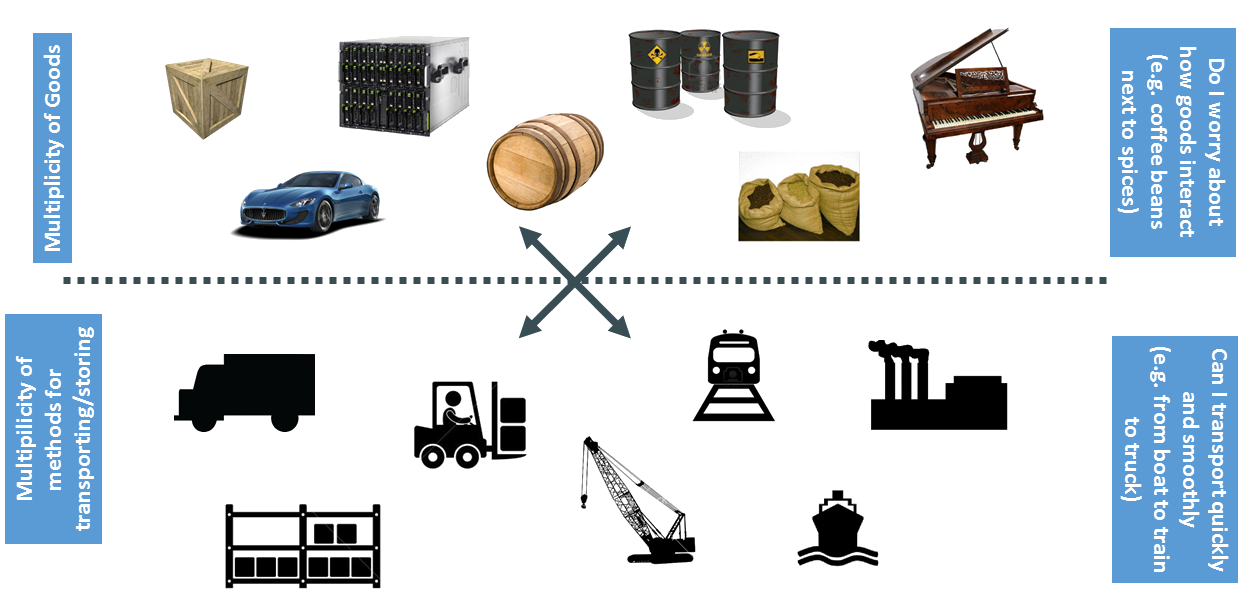 <!--v--> #### Solution ? 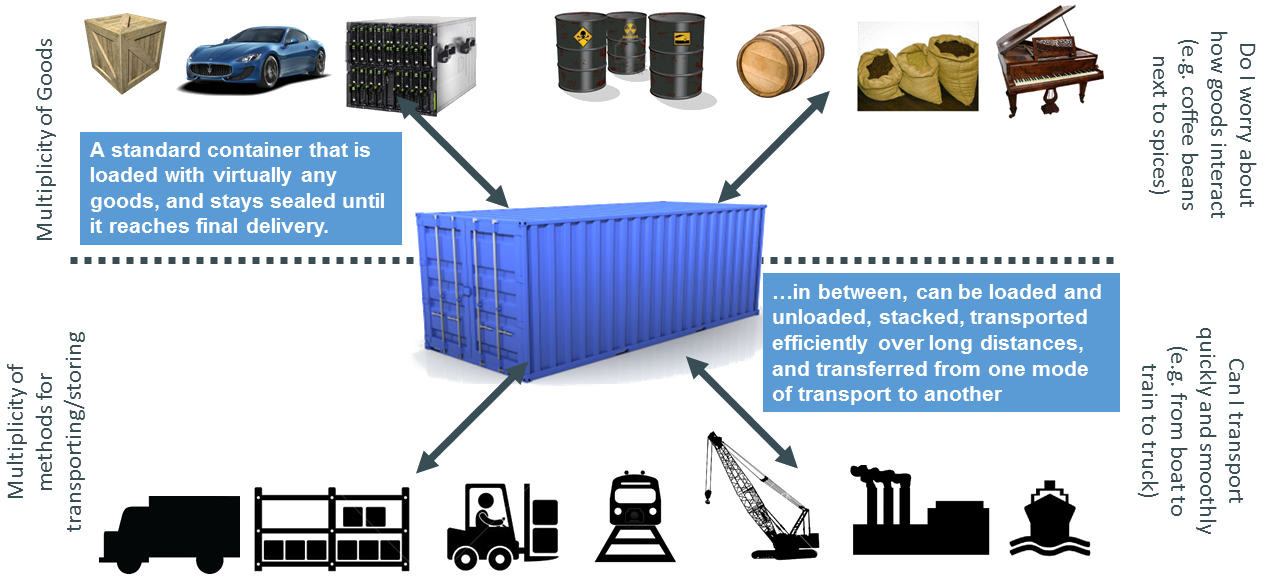 <!--v--> #### Solution ! 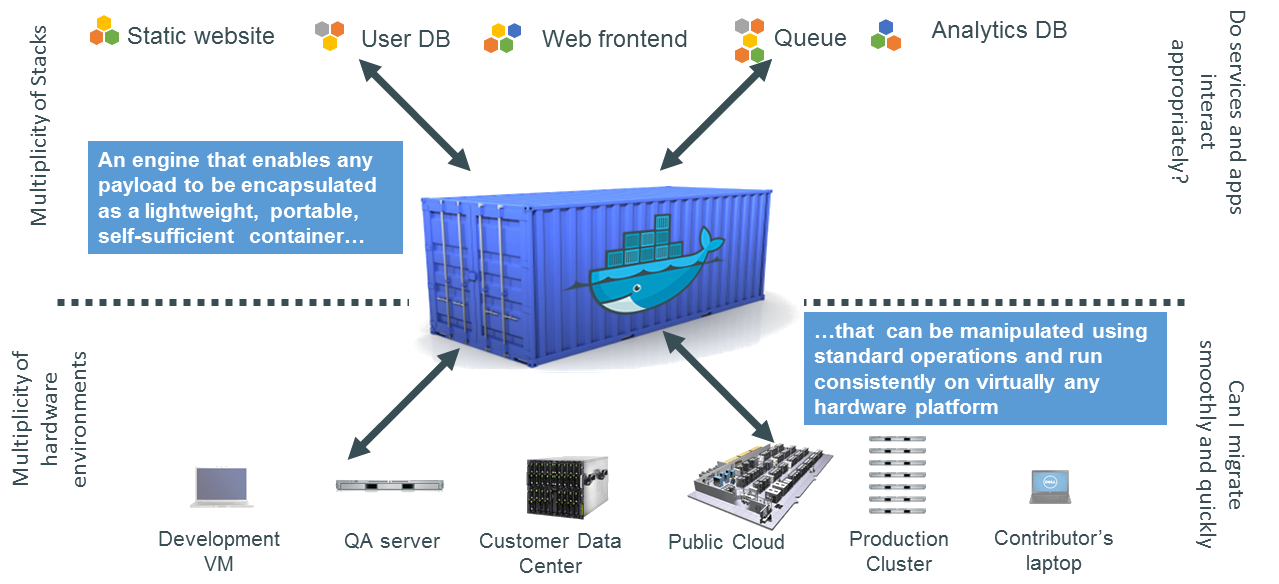 <!--v--> 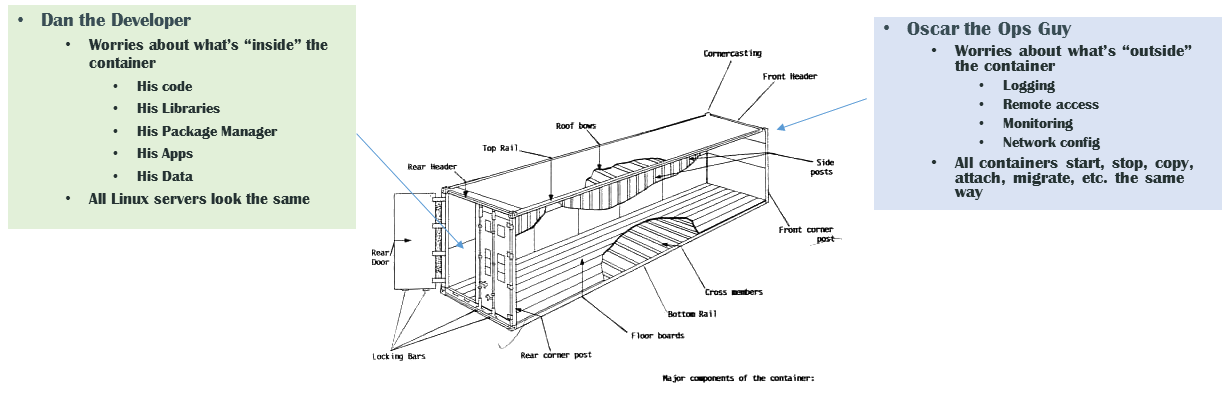 <!--v--> 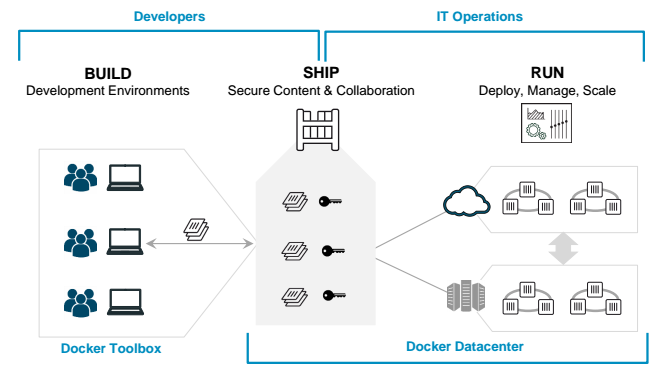 <!-- .element: height="60%" width="60%" --> <!--s--> ### Docker  <!-- .element: height="≈%" width="©%" --> <!--v--> Docker is **a** solution that **standardizes** packaging and execution of software in isolated environments (**containers**) that share resources and can communicate between themselves > Build, Share, and Run Any App, Anywhere <!--v--> [Docker](https://www.docker.com/) * Created in 2013 * Open Source * Not a new idea but set a new standard * Docker is a company built around its main product (Docker Engine) * in charge of dev of everything docker + additional paid services (Docker hub...) <!--v--> Docker is not the only solution for containers <https://chimeracoder.github.io/docker-without-docker/#30> <https://podman.io/> <!--v--> Docker is some fancy tech over linux kernel capabilities (containers) 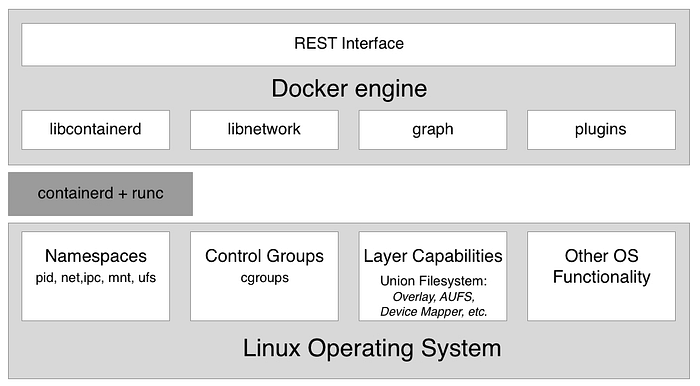 [more info](https://medium.com/@goyalsaurabh66/docker-basics-cb006b9be243) <!--v--> But Docker is available on [Windows and MacOS](https://www.docker.com/products/docker-desktop) ! 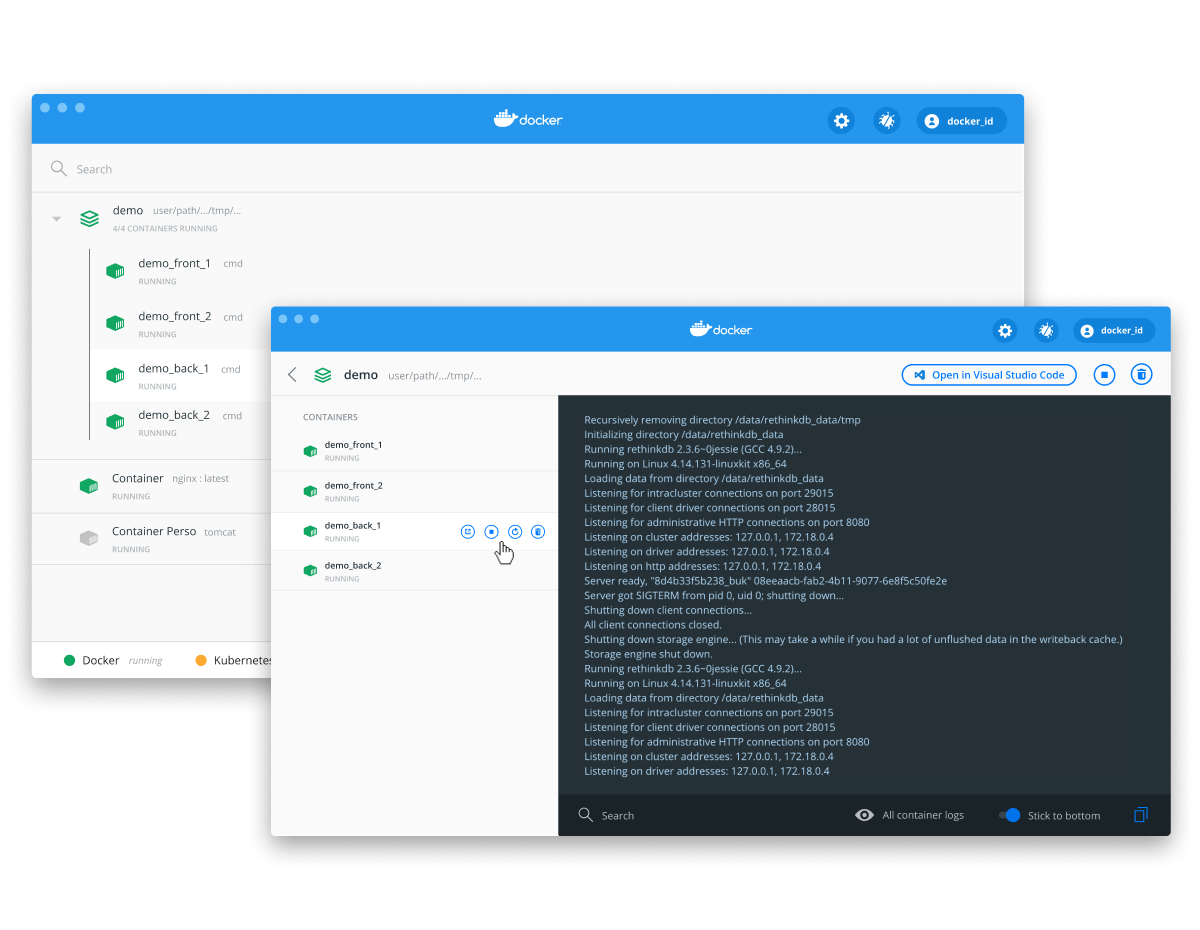 <!-- .element: height="50%" width="50%" --> <!--v-->  <!-- .element: height="40%" width="40%" --> https://www.youtube.com/c/AurelieVache/videos <!--s--> ### Containers or Virtual Machines <!--v--> #### Similarities * Isolated environments for applications * Movable between hosts <!--v--> #### Drawbacks of VMs * VM Contains full OS at each install => Install + Resource overhead * VM needs pre-allocation of resource for each VM (=> Waste if not used) * Communication between VM <=> Communication between computers <!--v--> #### Container vs Virtual Machine 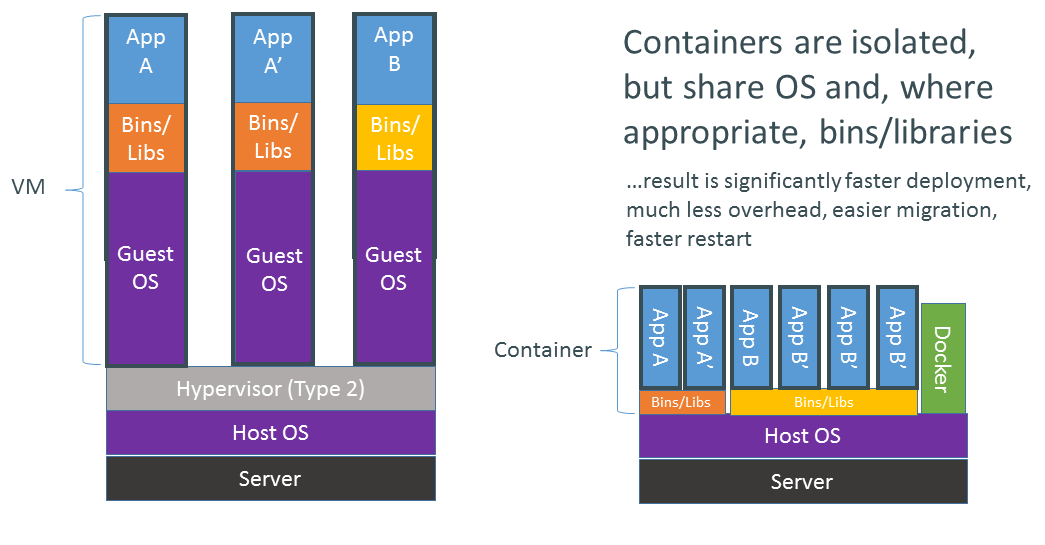 <!--v--> #### Why are docker containers lightweight ?  <!--v--> #### Container vs Virtual Machine, an Analogy  <!--v--> #### Resources allocation in containers * Containers share underlying OS / Kernels * The container engine can allocate resources (CPU, Storage, RAM) on the fly (!= VM) * GPU is way easier to manage / share with containers  <!--v--> #### Some drawbacks of containers * Containers are based on linux tech (Docker makes Windows container possible though) * Isolation is not perfect since containers share underlying kernels (security and stability) <!--s--> ### Containers for Data Science <!--v--> #### Multiple People  <!--v--> #### Complex Workflows 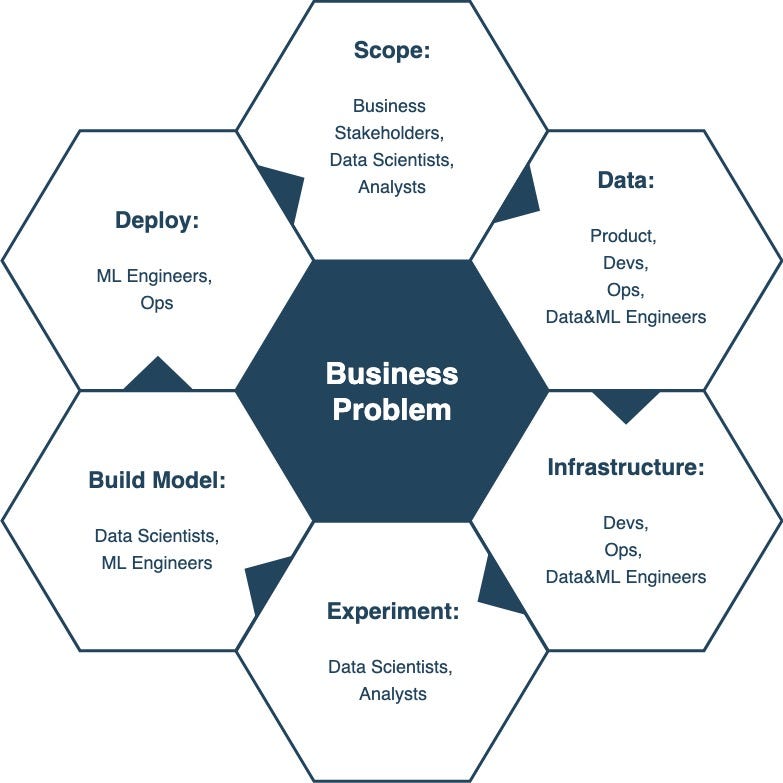 <!-- .element: height="40%" width="40%" --> <!--v--> #### Multiple Components 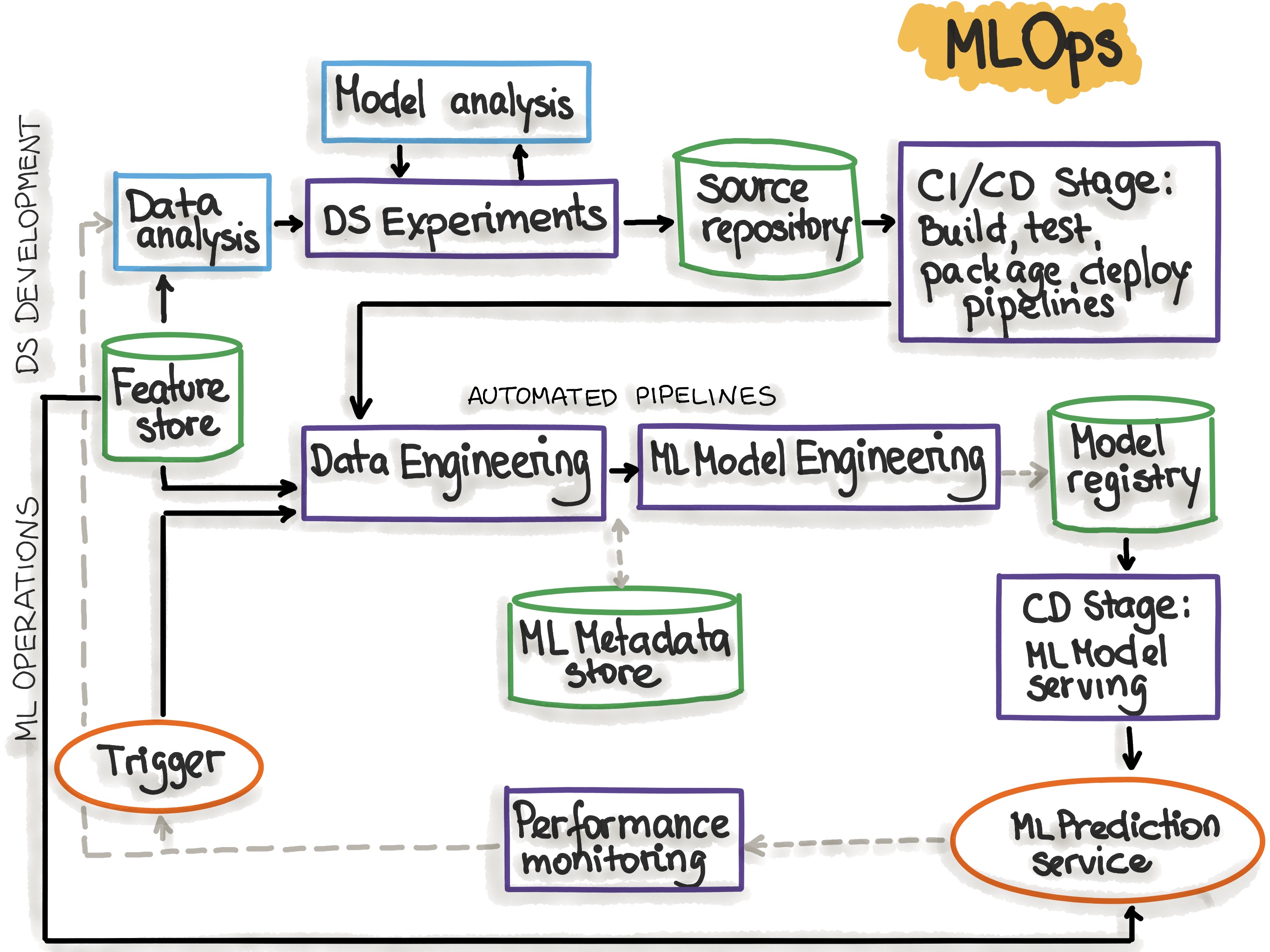 <!-- .element: height="40%" width="40%" --> <!--v--> #### Data Science is about reproducibility * Experimental science * Communicating results * Hands-out to other teams * Deployment and versioning of models <!--v--> #### So... containers ? * ... for deployment * ... for standardized development environments * ... dependency management * ... for complex / large scale workflows ~it works on my notebook !~ *here's the model ready to run !* <!--v--> Build, Ship, Run in Data Science  <!-- .element: height="50%" width="50%" --> <!--v--> Deployment 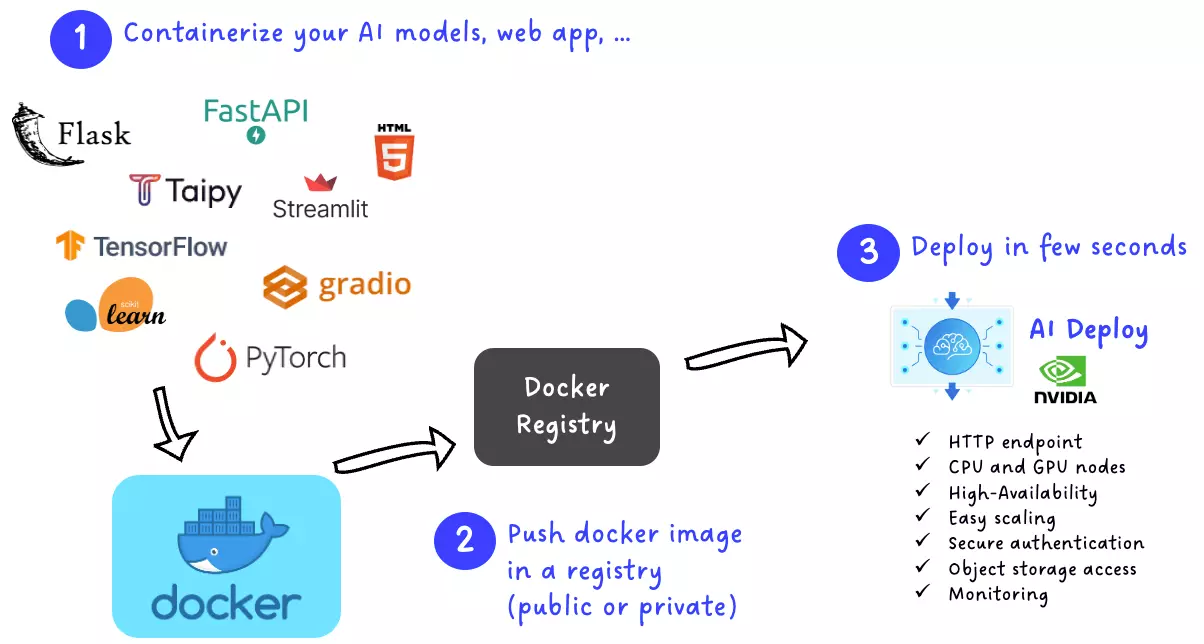 <!-- .element: height="50%" width="50%" --> <!--v--> Reproducible development environment 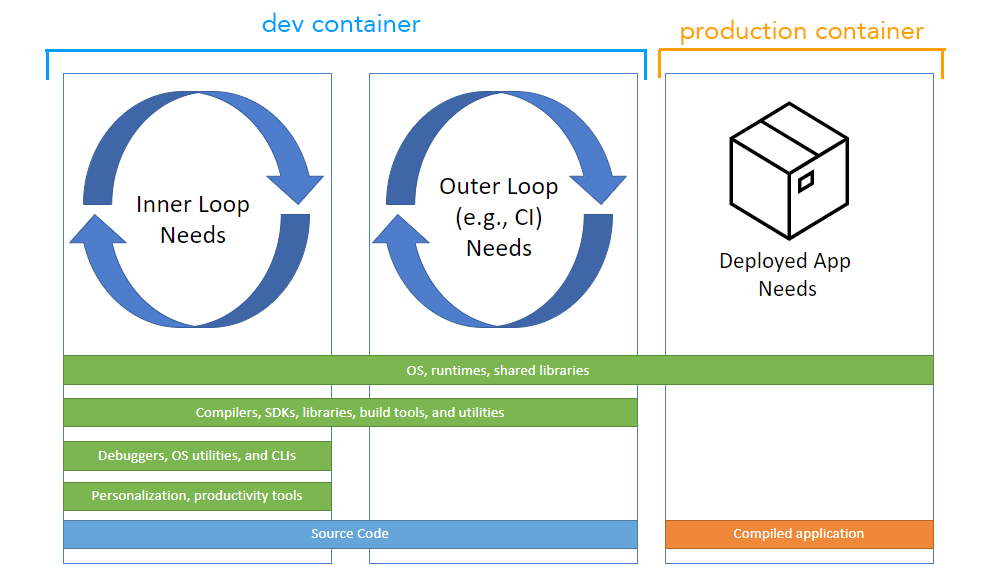 <!-- .element: height="40%" width="40%" --> <!--v--> Codespace is actually a container... 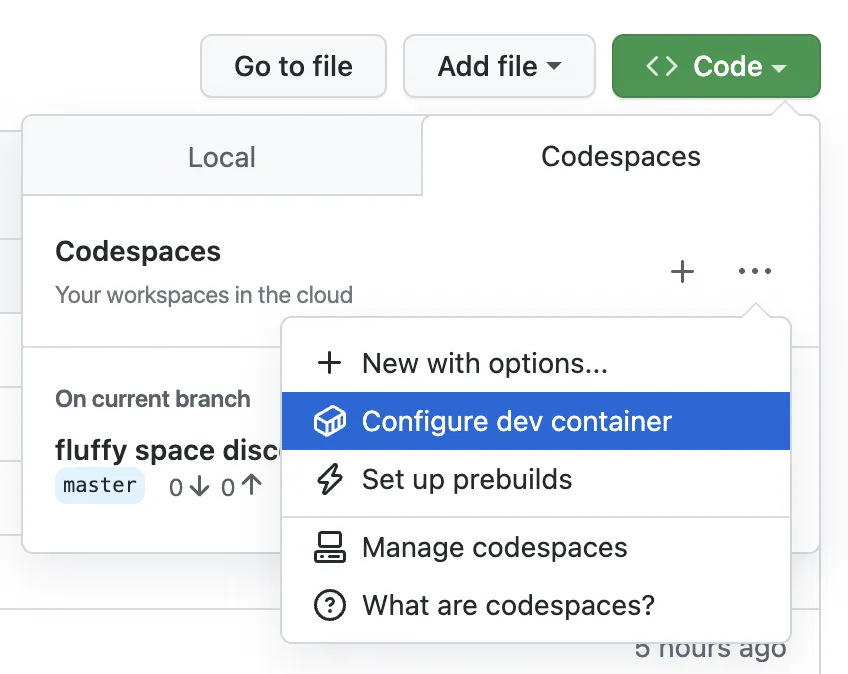 <!-- .element: height="40%" width="40%" --> <!--v--> Machine Learning [at scale](https://cloud.google.com/architecture/mlops-continuous-delivery-and-automation-pipelines-in-machine-learning#mlops_level_1_ml_pipeline_automation) ! 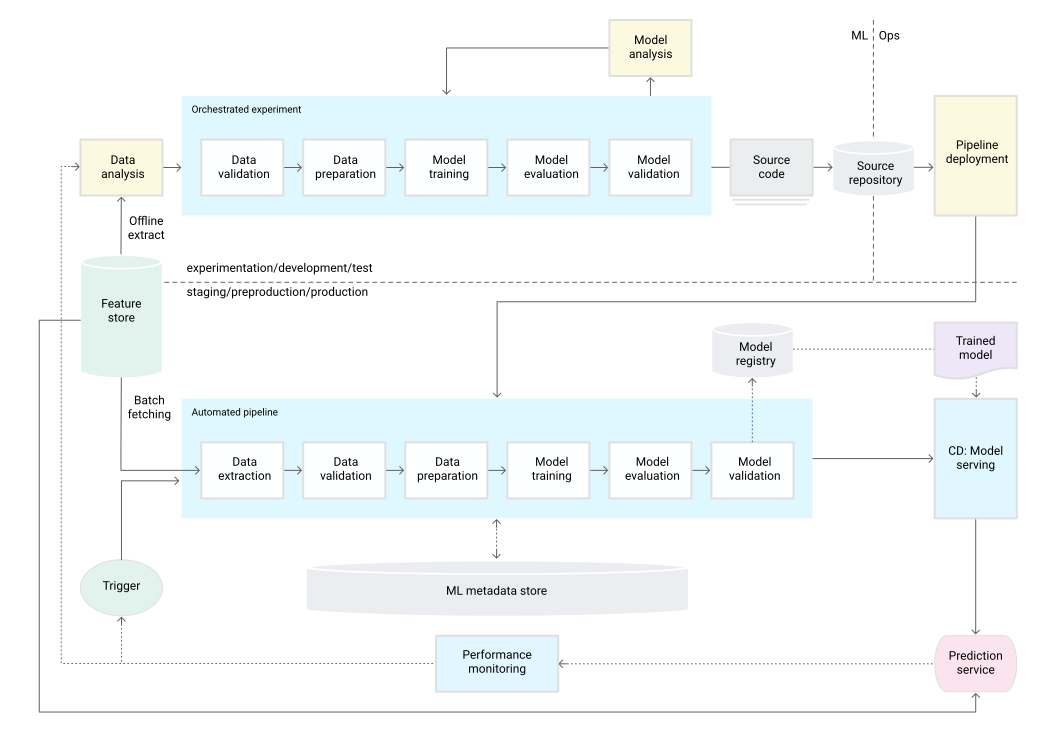 <!--v--> [Netflix and notebook scheduling](https://medium.com/netflix-techblog/scheduling-notebooks-348e6c14cfd6) <img src="static/img/docker-container-internals.png" alt="" style="width: 60%; height: 60%; background:none; border:none; box-shadow:none;"/> <!--v--> https://www.kubeflow.org/ 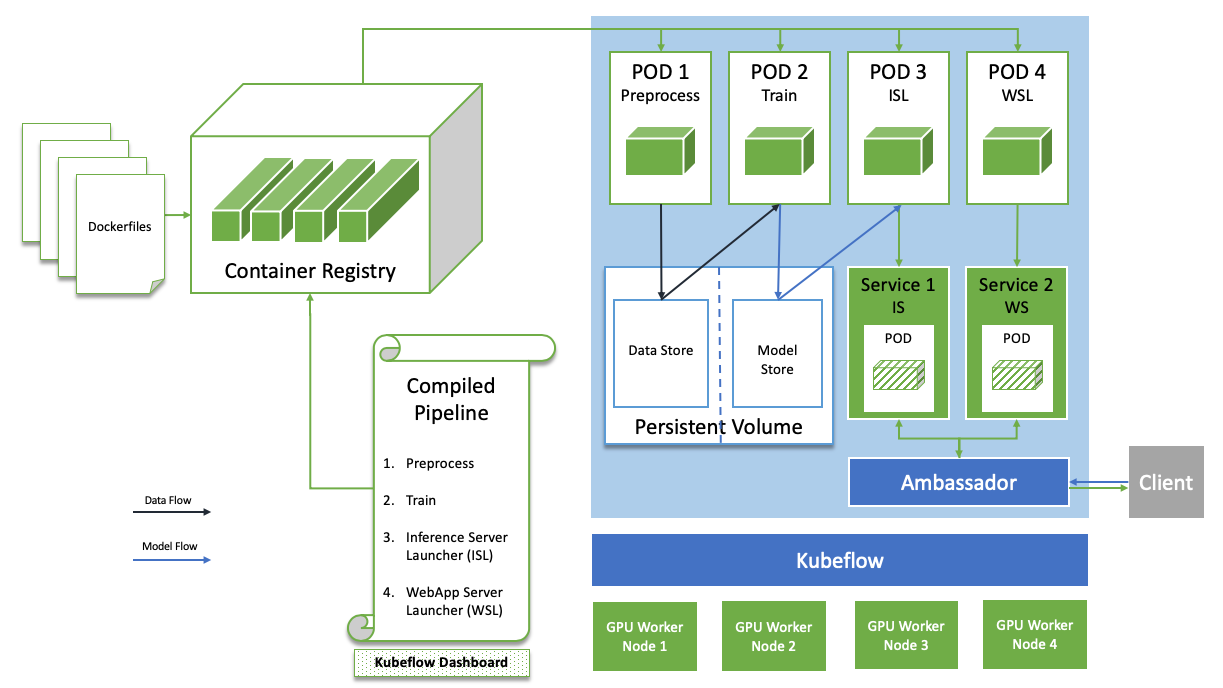 <!-- .element: height="55%" width="55%" --> <!--v--> https://polyaxon.com/  <!-- .element: height="55%" width="55%" --> <!--s--> ### Using Docker in practice 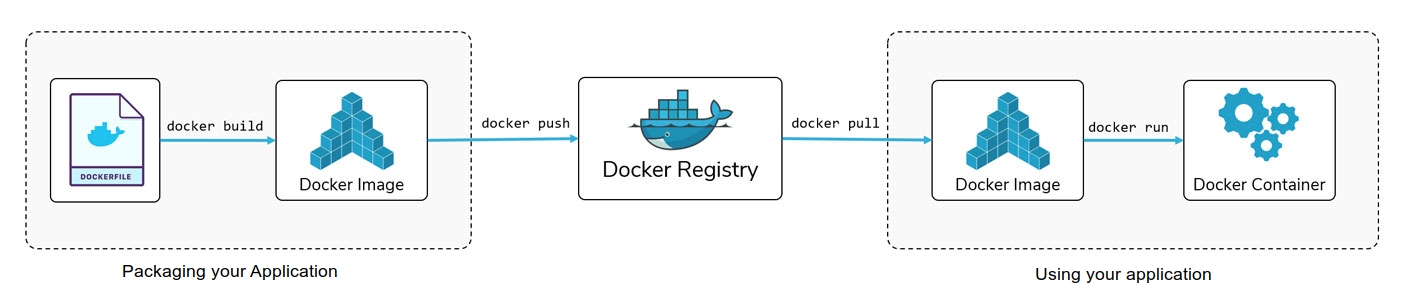 <!--v--> #### Vocabulary of Docker * **Layer**: Set of read-only files to provision the system * **Image**: Read-Only layer "snapshot" (or blueprint) of an environment. * **Images**: can inherit from other **Images**. Images must have a *name* and a *tag* * **Container**: Read-Write instance of an **Image** * **DockerFile**: Description of the process used to build an Image * **Container Registry**: Repository of Docker Images * **Dockerhub**: The main container registry of docker.com <!--v--> #### Workflow 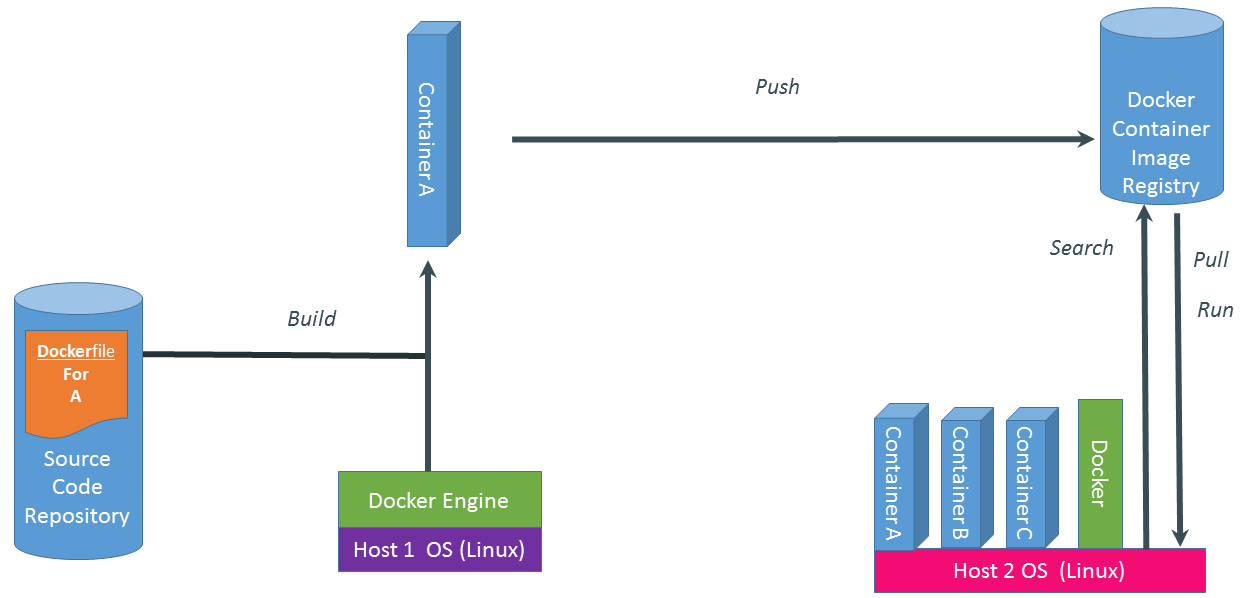 <!-- .element: height="55%" width="55%" --> <!--v--> #### Layers, Container, Image 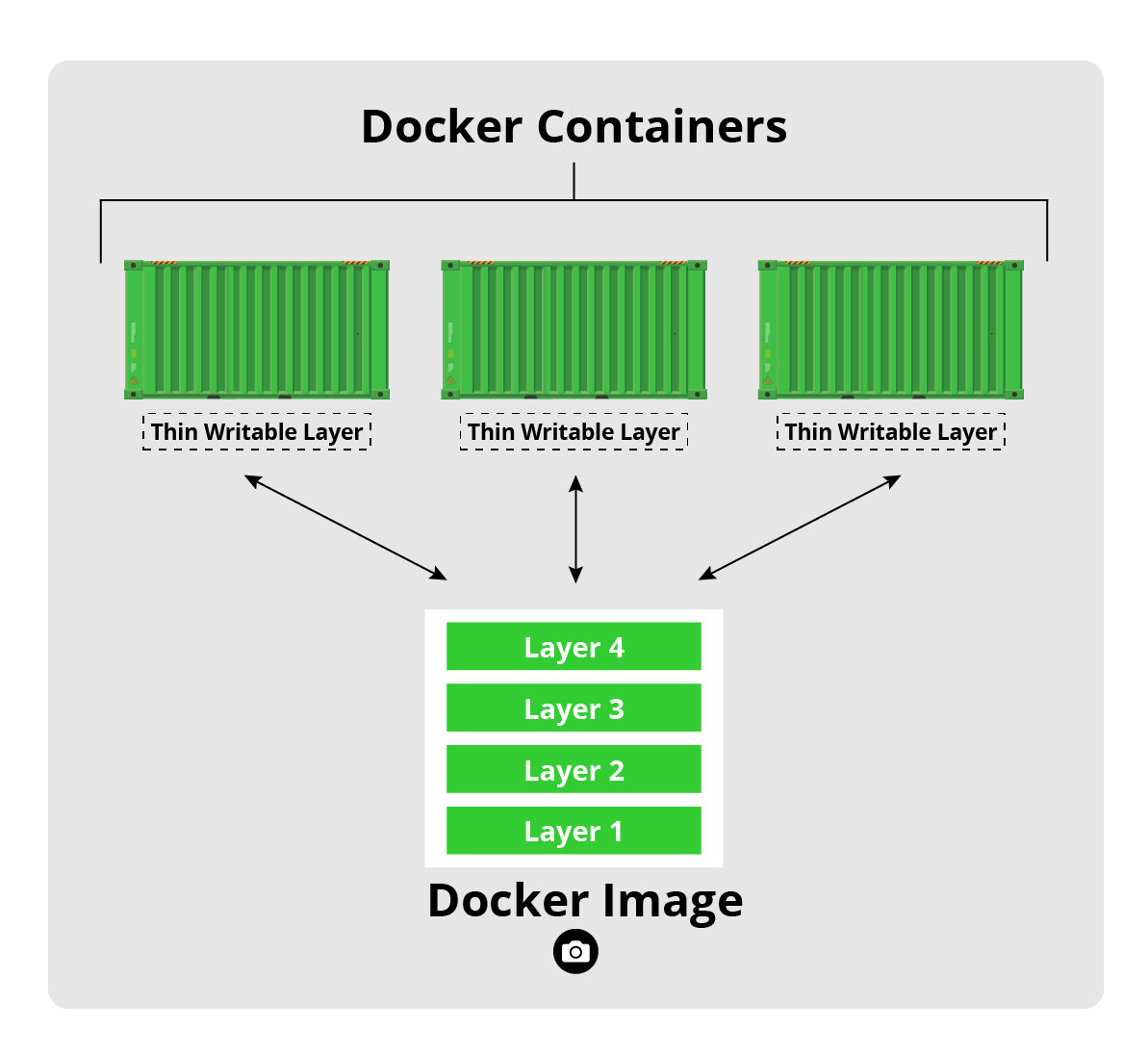 <!-- .element: height="45%" width="45%" --> <!--v--> #### Image 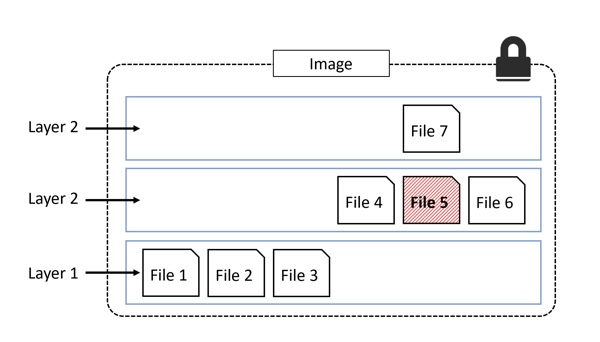 <!--v--> #### Layer / Image Analogy Docker: ```Dockerfile FROM python:3.11 RUN pip install torch CMD ipython ``` ```bash docker build -f Dockerfile -t my-image:1.0 . docker run my-image ``` Python: ```python class BaseImage: def __init__(self, a): self.a = a class NewImage(BaseImage): def __init__(self, a, b): super(NewImage, self).__init__(a=a) self.b = b container = NewImage(a=0,b=1) ``` <!--v--> #### Dockerfile / Layer / Image / Container Analogy 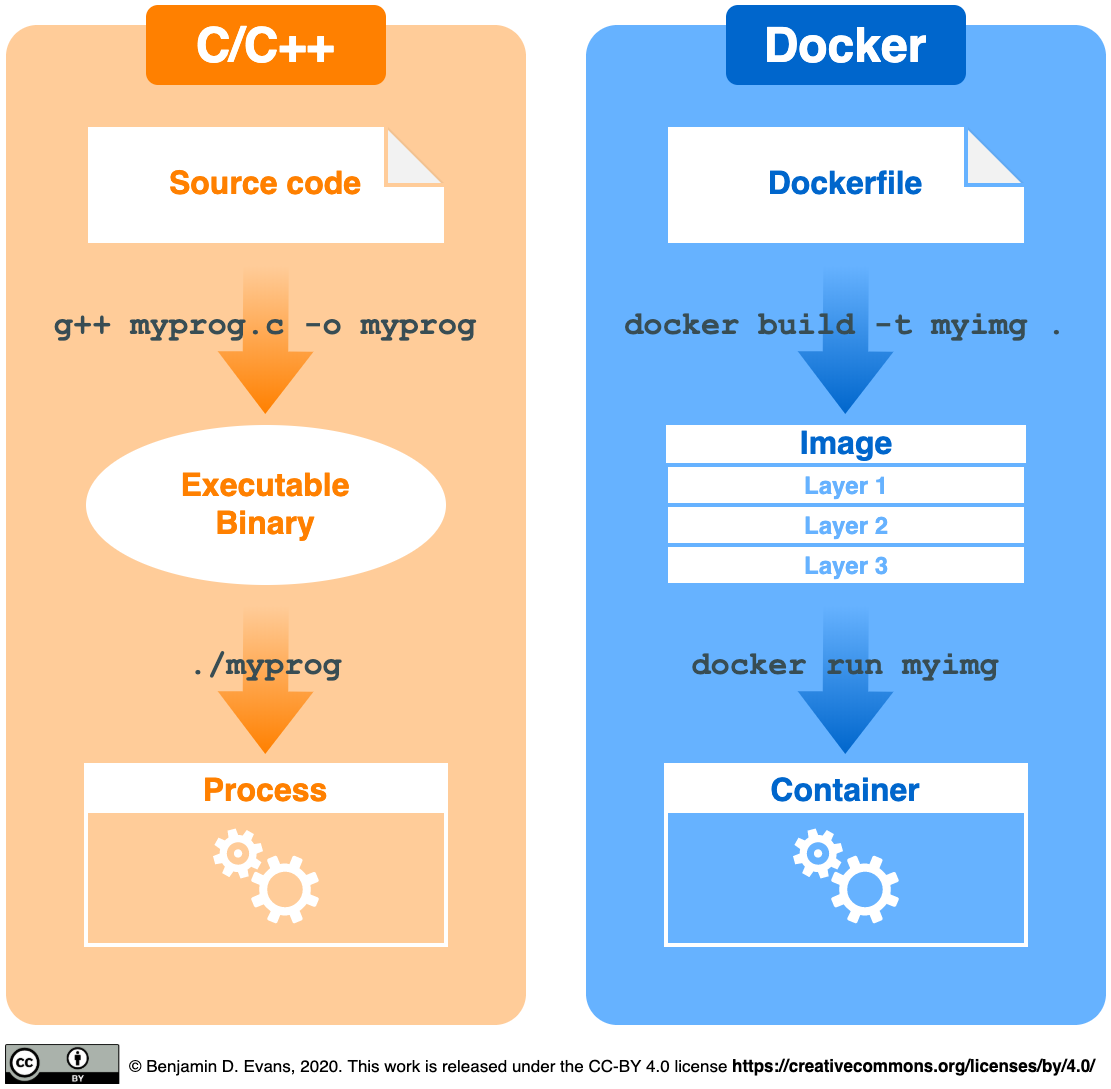 <!-- .element: height="40%" width="40%" --> <!--v--> #### Dockerfile * Used to build Images ```Dockerfile FROM python:3.11 ENV MYVAR="HELLO" RUN pip install torch COPY my-conf.txt /app/my-conf.txt ADD my-file.txt /app/my-file.txt EXPOSE 9000 WORKDIR "/WORKDIR" USER MYUSER ENTRYPOINT ["/BIN/BASH"] CMD ["ECHO” , "${MYVAR}"] ``` ```bash docker build -f Dockerfile -t my-image:1.0 . docker run my-image ``` * Reproducible (if you include static data) * Can be put under version control (simple text file) <!--v--> #### Architecture 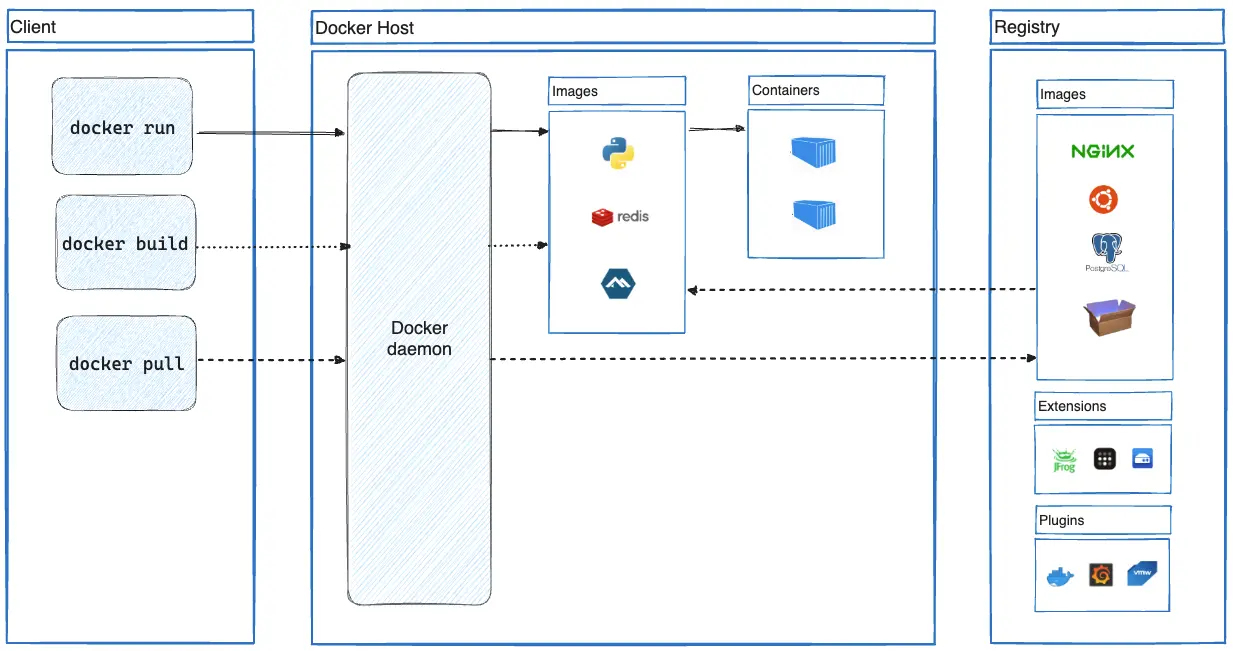 <!--v--> #### Registry * Local registry: All images/containers in your machine * https://hub.docker.com/ * GCP Container Registry * Social Dimension (share docker images to speed up development/deployment) <!--v--> #### In practice <img src="static/img/docker-in-practice.png" alt="" style="width: 50%; height: 50%; background:none; border:none; box-shadow:none;"/> <!--v--> ### What about multi-applications containers ? <!--v--> #### Docker Compose * Multi-containers application with networking (communication) * "Glue" for complex applications and microservices 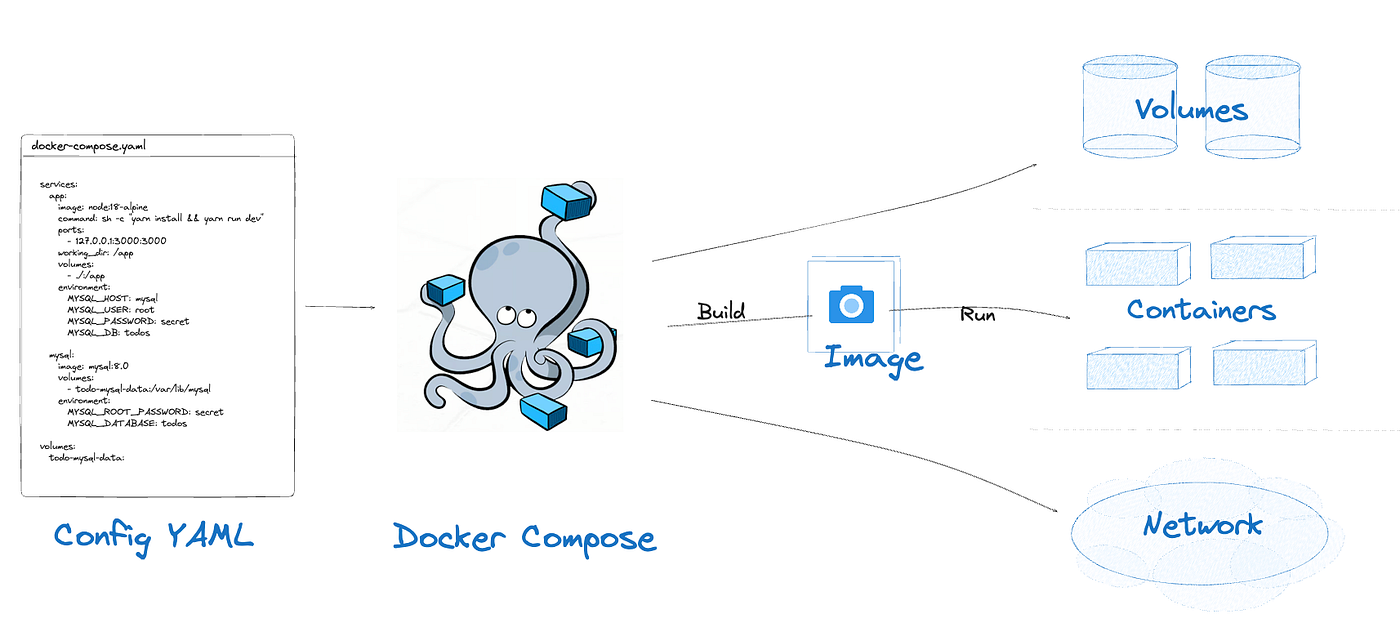 <!--v--> #### Docker Compose (example) A database and a webapp ```yaml services: app: build: . image: takacsmark/flask-redis:1.0 environment: - FLASK_ENV=development ports: - 5000:5000 redis: image: redis:7-alpine ``` `docker compose up` starts both containers (you will see that next week) <!--v--> #### Remember this !  <!--v--> ### An analogy... 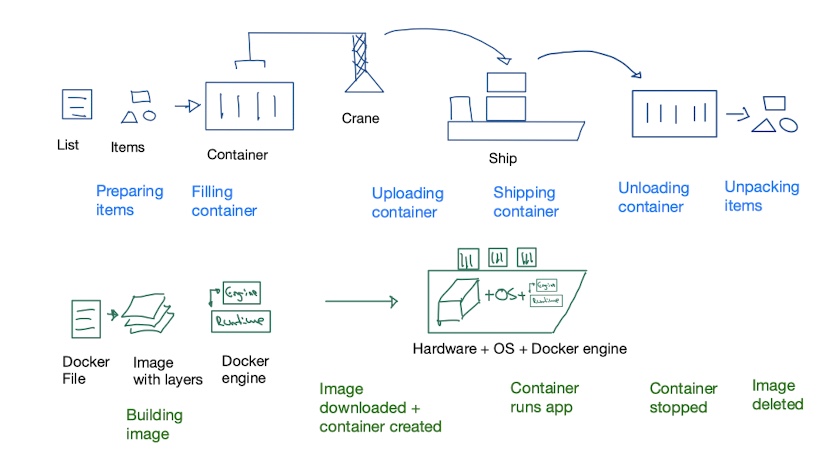 [https://bernhardwenzel.com/2022/the-mental-model-of-docker-container-shipping/](https://bernhardwenzel.com/2022/the-mental-model-of-docker-container-shipping/) <!--s--> ### Docker and GCP <!--v--> #### GCP & Docker * The per-project dockerhub is called [Container Registry](https://cloud.google.com/container-registry/) * Your images look like this `eu.gcr.io/project-id/a/b/c:1.0` * You can use [Google Cloud Build](https://cloud.google.com/cloud-build/) to build dockerfiles remotely * `gcloud builds submit --tag gcr.io/[PROJECT_ID]/quickstart-image .` * To use gcloud with docker: `gcloud auth configure-docker` * You can even deploy ["virtual machines" with containers directly](https://cloud.google.com/compute/docs/containers) <!--s--> ### Demo time <!--v-->